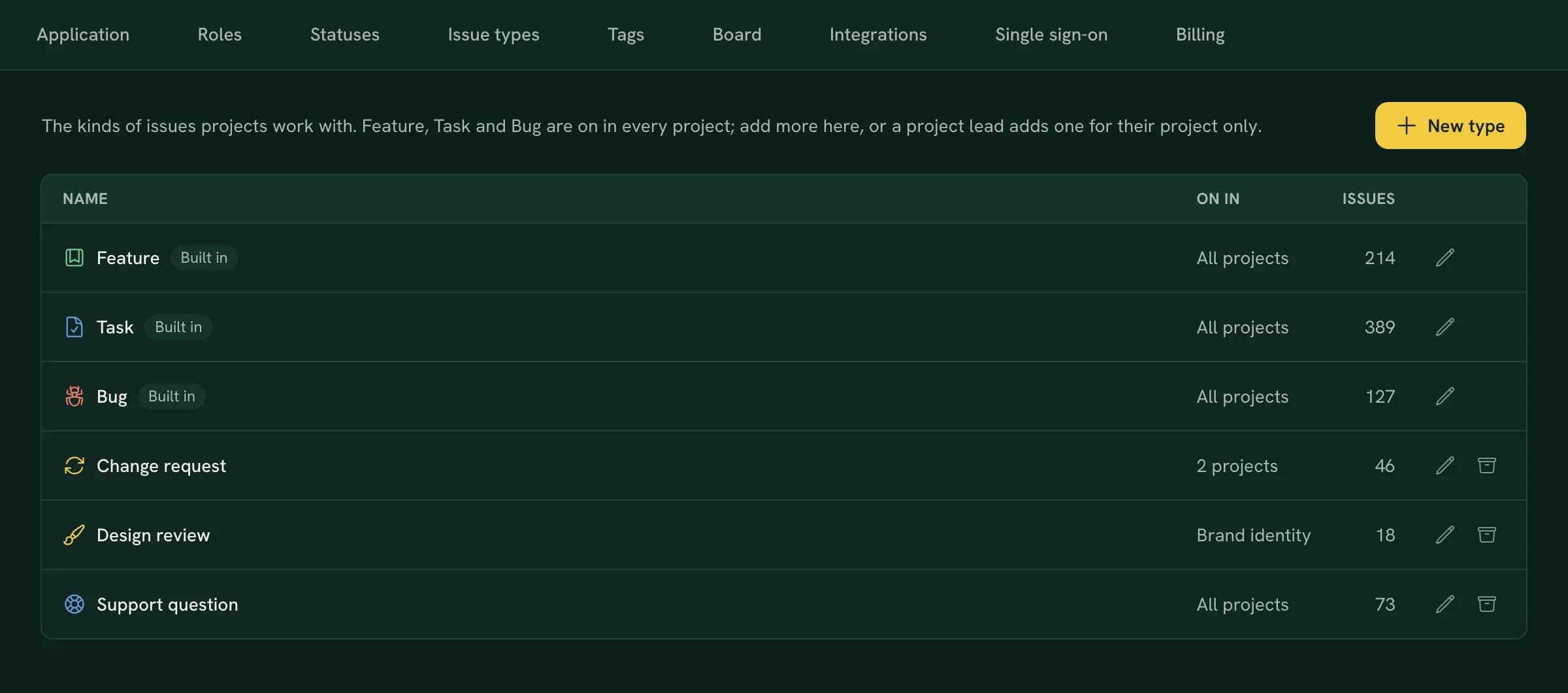
Not every piece of work is a feature, a task or a bug. An agency has change requests from clients, a studio has design reviews, and a support desk has questions that never touch the code. And a bug shouldn't go through the same steps as a design review. Starting today, Notulous lets you shape both: the types of issue you work with, and the way each one moves across the board.
Issue types of your own
- Add your own types under Settings › Issue types, with a name, an icon and a colour. Turn a type on in every project, or only in the ones that need it.
- Per project, choose which types it uses, their order, and the type new issues start as. A project can also have types of its own, and an admin can make one of those available to everyone later.
- Feature, Task and Bug stay, and you can rename them.
- Nothing gets lost. Switching a type off or archiving it never changes an issue. And when you do want to retire a type, Notulous offers to move its issues to another one first.
A workflow per type
In a project's settings, each issue type gets a workflow: the statuses of the board it goes through, and the one where new issues start. A design review might go from To do to In review to Approved, while a bug also passes Testing. The status picker and the board only offer the statuses an issue's type has, and changing the type puts the issue at the start of its new workflow.
Rules that do the follow-up
Each status in a workflow can have rules. Some are checks before an issue may move:
- ask for a comment, or require one;
- require a field, like an estimate or a release;
- make sure the subtasks are done, or that time was logged.
Others are actions after the move:
- assign the issue to the reporter, the lead, someone specific or the previous assignee;
- notify people with a message;
- post to Slack or email the client;
- set the priority, a done-by date or the next release;
- add subtasks or stop running timers.
When a move needs something, Notulous asks for it in the same step. Rules run however an issue moves: from the board, the issue itself, a batch edit, a commit message or an AI assistant. The issue's activity shows what each rule did.
Bringing your types along
Importing from Jira? Issue types without a match can become types of the project, so your stories, epics and change requests arrive as they were. Trello labels and Asana tags named after one of your types give the issue that type.
Issue types and workflows are available now in every workspace, on every plan. Admins find them under Settings › Issue types, and project leads in their project's settings.